![Hearo profile Image-2.png]](https://learn.hearo.net/hs-fs/hubfs/Hearo%20profile%20Image-2.png?width=50&height=50&name=Hearo%20profile%20Image-2.png)
Remotely checking seizure mat status
To check the status of a seizure mat remotely, log in to the Hearo Dashboard at app.hearo.net.
Click on the Locations heading in the menu at the top.

Click on the Location where the seizure mat is installed. It will take you to the Location Details page.
Scroll down to the list of sensors. You should see a sensor that corresponds to the seizure mat. The image will be of a door sensor, as this is what is connected to the mat and is used to send messages to the Hearo Dashboard.
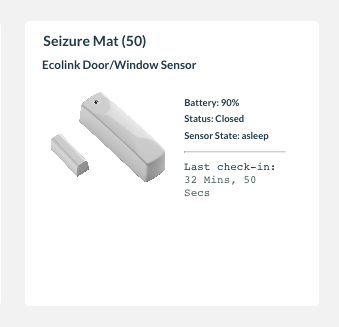
Here, you can see the last time the sensor checked in with the Hearo system. If it hasn't checked in with the Hearo system in some time, you can infer that it probably isn't communicating with the system as it should, and you should start the troubleshooting process.
Testing a seizure mat
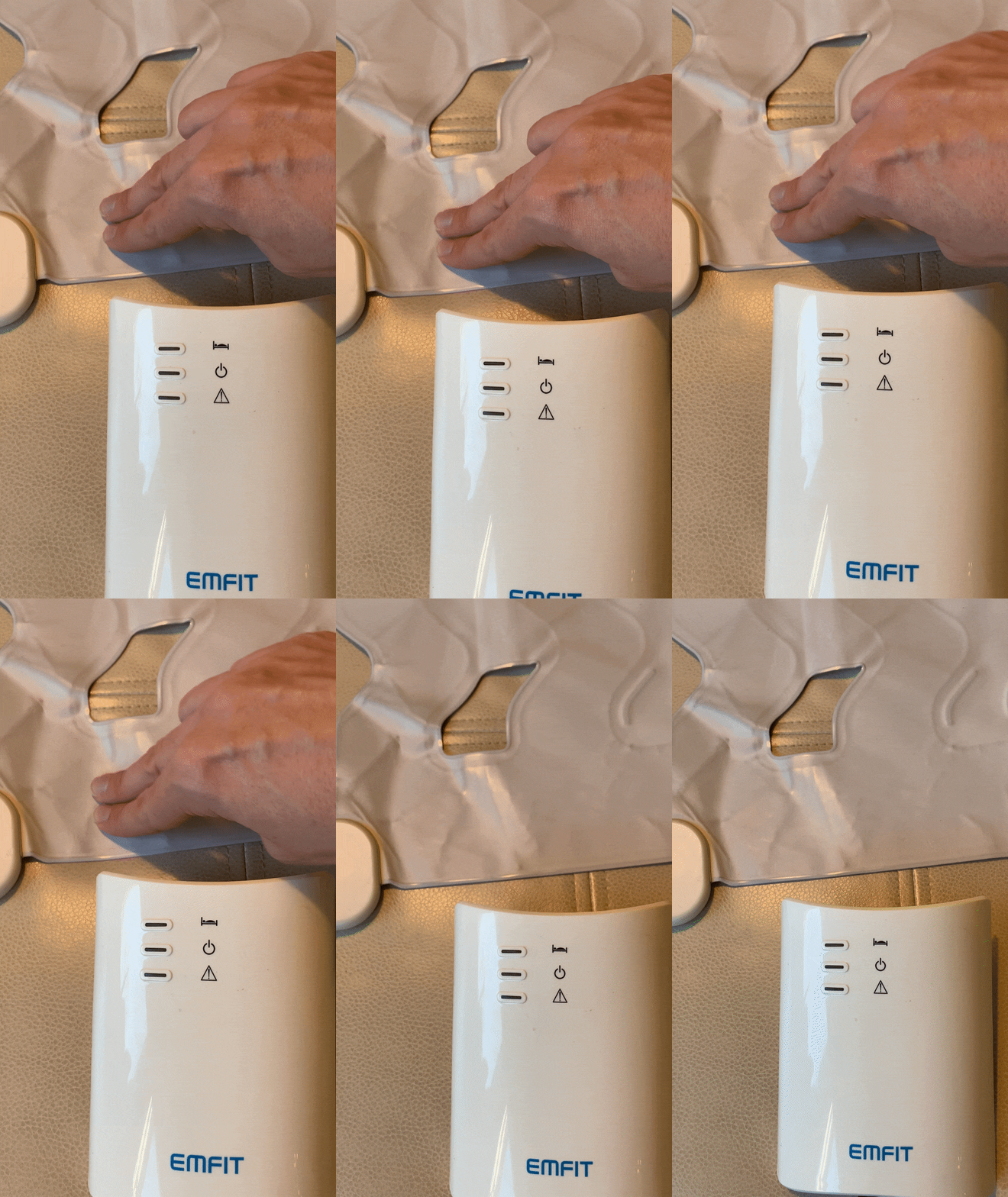
To test the mat, you'll need to perform a repeated action on the mat for around 15 seconds. The easiest way to do this is to gently and repeatedly press on the mat, as seen in the gif above. Make sure you have the control unit near you so you can monitor if your motion is being detected.
The control unit should have a blinking blue light to show that it is connected and on. When you touch the mat, the green light will start blinking as well. After around 15 seconds of repeating the pressing motion, the blue light will blink rapidly, which means the mat detected seizure motion. You may hear an audible alarm as well.
If you see the log appear on the Hearo Dashboard after this test, then the mat is responding appropriately. You'll next want to confirm its placement beneath the mattress if it has missed confirmed seizure activity. Make sure to place it where the Individual commonly sleeps, e.g. towards either side or perhaps the middle of the mattress. If there is also one of Hearo's blue bed mats in use, place the seizure mat down first and place the bed mat down on top of it to ensure correct function and reporting of activity.
Troubleshooting
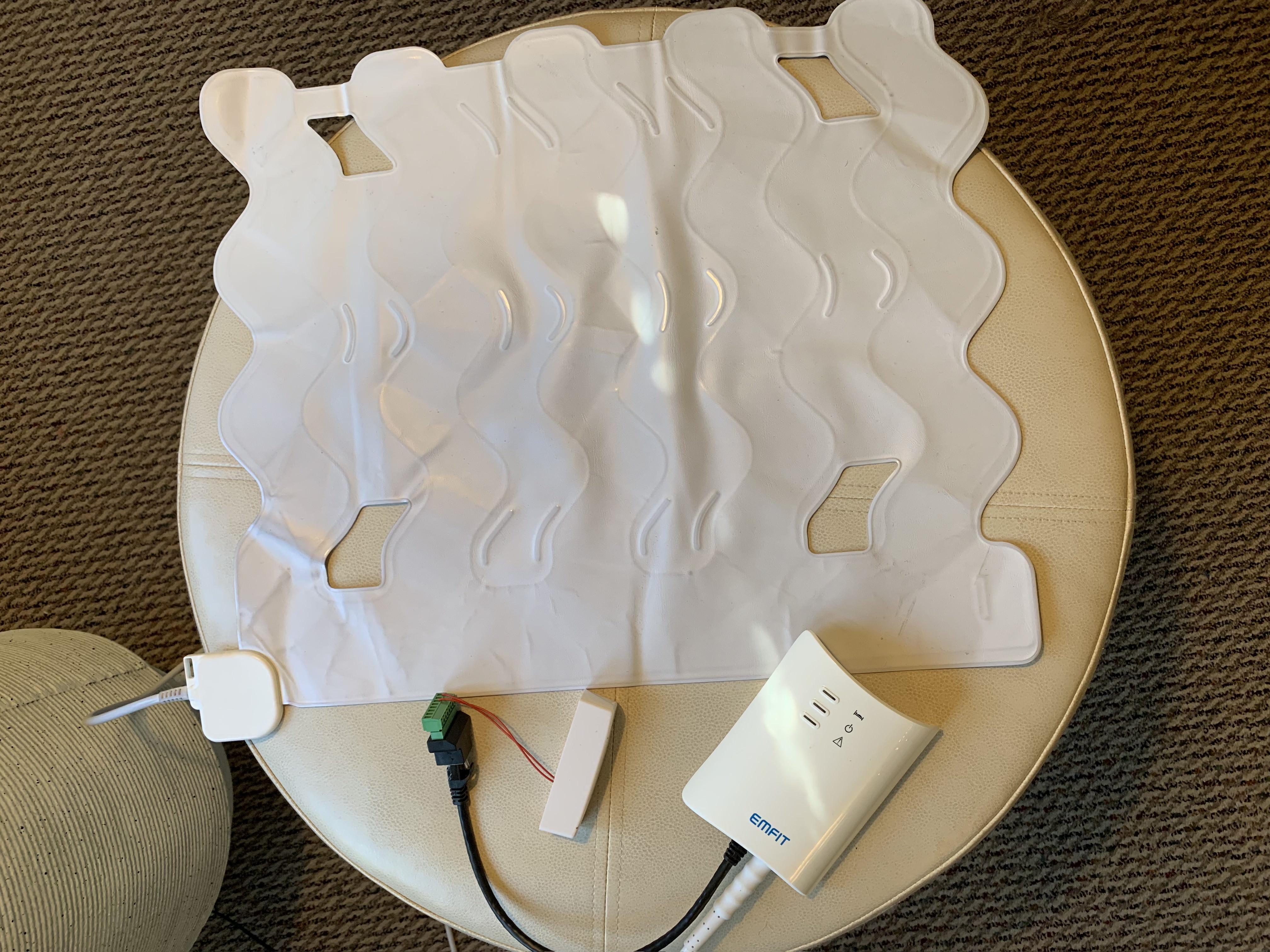
The first thing you'll do when troubleshooting a mat is perform a visual inspection to confirm it isn't damaged. The mat and its components should look similar to this:
Next, if your mat is not sending messages when you believe it should, check that it has power. You can see the power indicator on the control unit. There is a blue light that blinks when there is power being channeled to the unit.
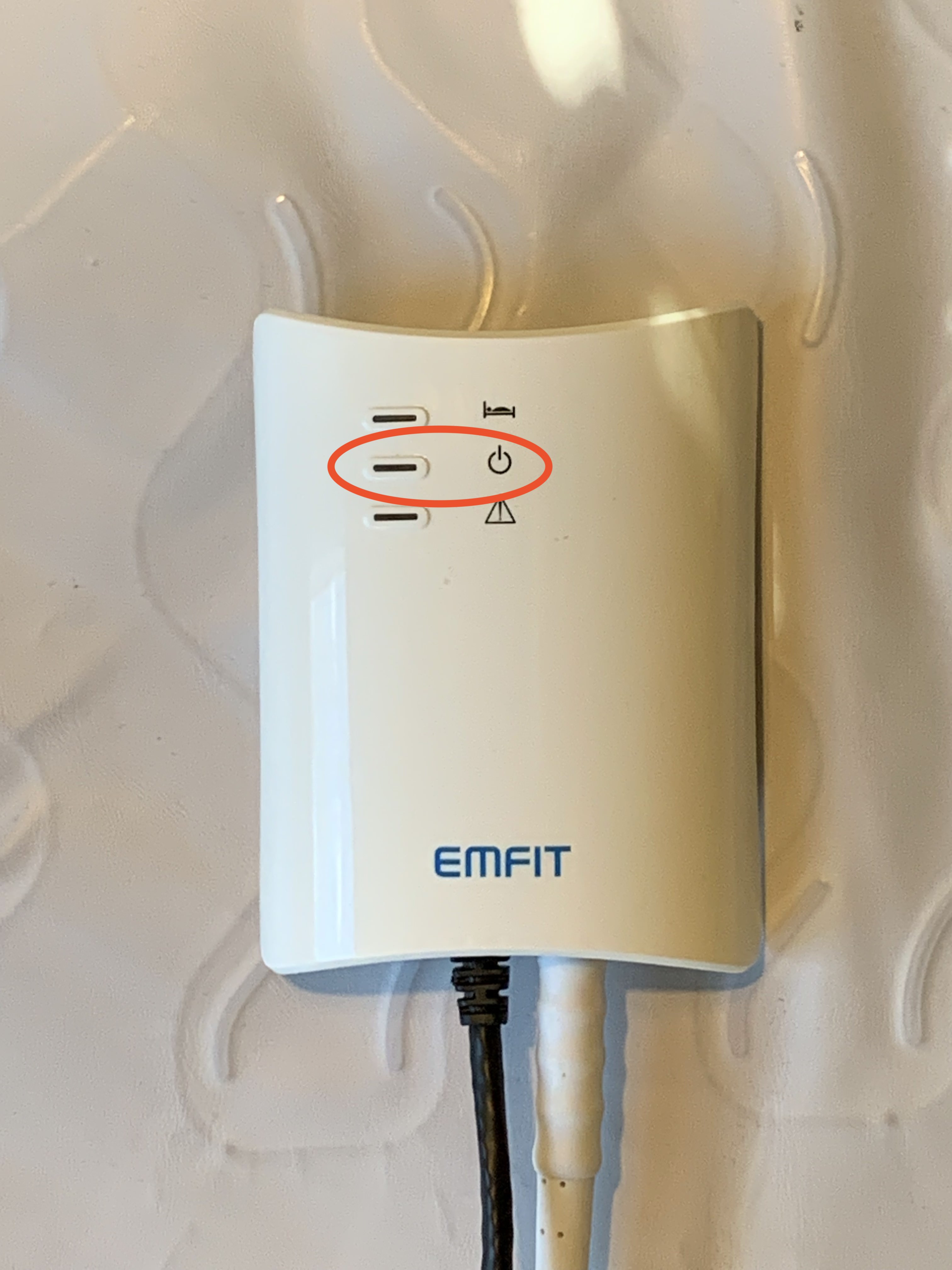
If this blue light isn't blinking, check that the white power cable from the control unit is plugged into an outlet, and that the outlet is working as well. There is also a chance that the cable may have come only slightly unplugged but appears as though it's fully plugged in. If this is the case, the control unit will not be able to function correctly and will beep intermittently, around once every minute. Make sure the white power cable is snugly connected on either end, both to the control unit and the wall socket. There are also batteries in this unit that can be used as a backup if the unit is accidentally unplugged. To see how to change these batteries, watch this video: How to change seizure mat batteries
If the red light at the bottom of the mat is on, contact Hearo support to come take a look at the setup.
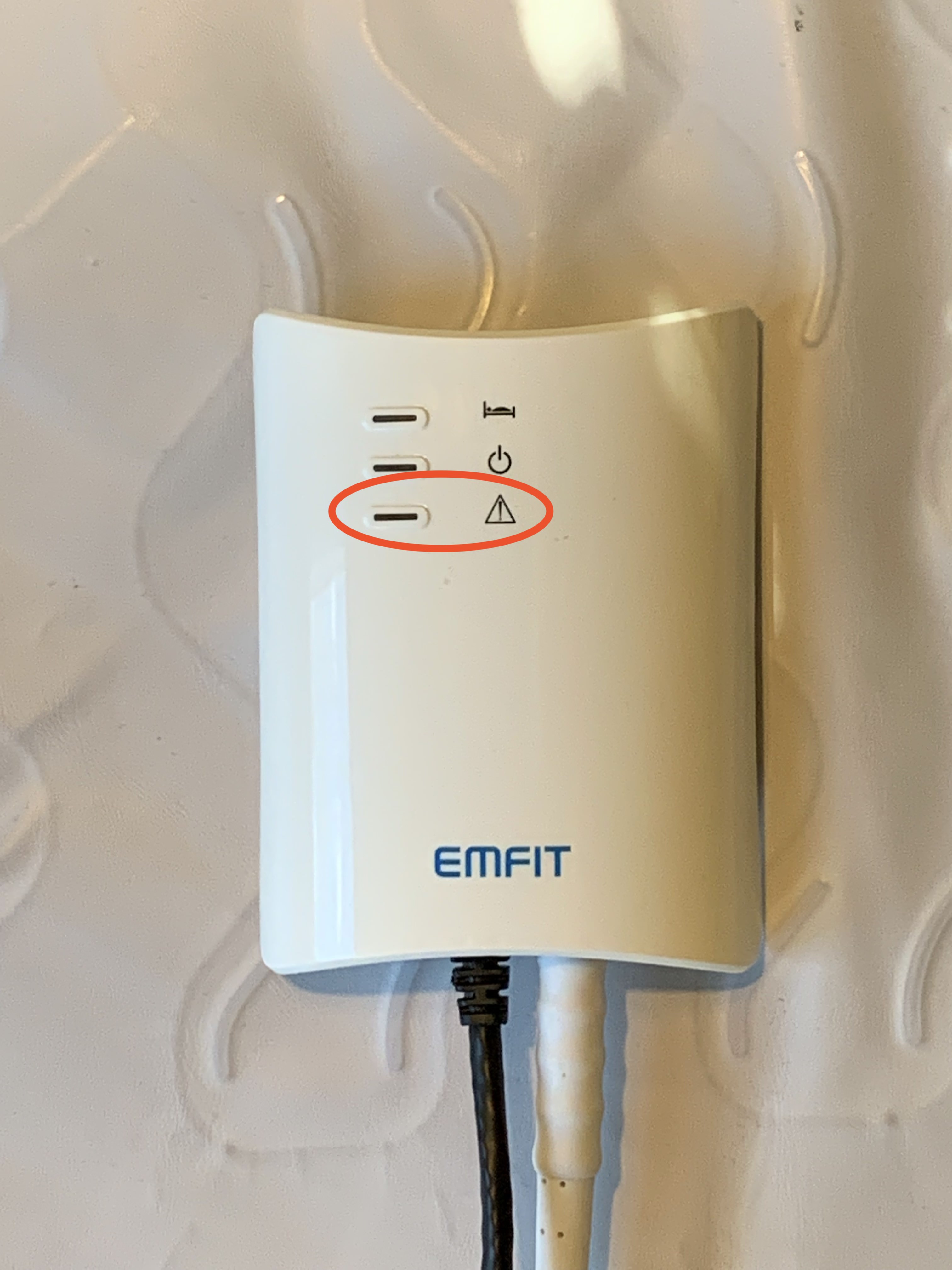
The next thing to check, if a mat is not successfully sending messages to the Hearo Dashboard, is the connection between the seizure mat control unit and the Hearo sensor. This sensor sends the signal to the Hearo Dashboard that seizure movement has been detected. That connection should look something like what is displayed in the image directly below. We take great care to ensure the snug fit of these red wires into the terminals; however, they are quite delicate and may come unplugged from either end if jostled around enough. If this happens, the sensor will not be able to correctly report seizure activity. Please contact Hearo support in the event of these wires being disconnected.
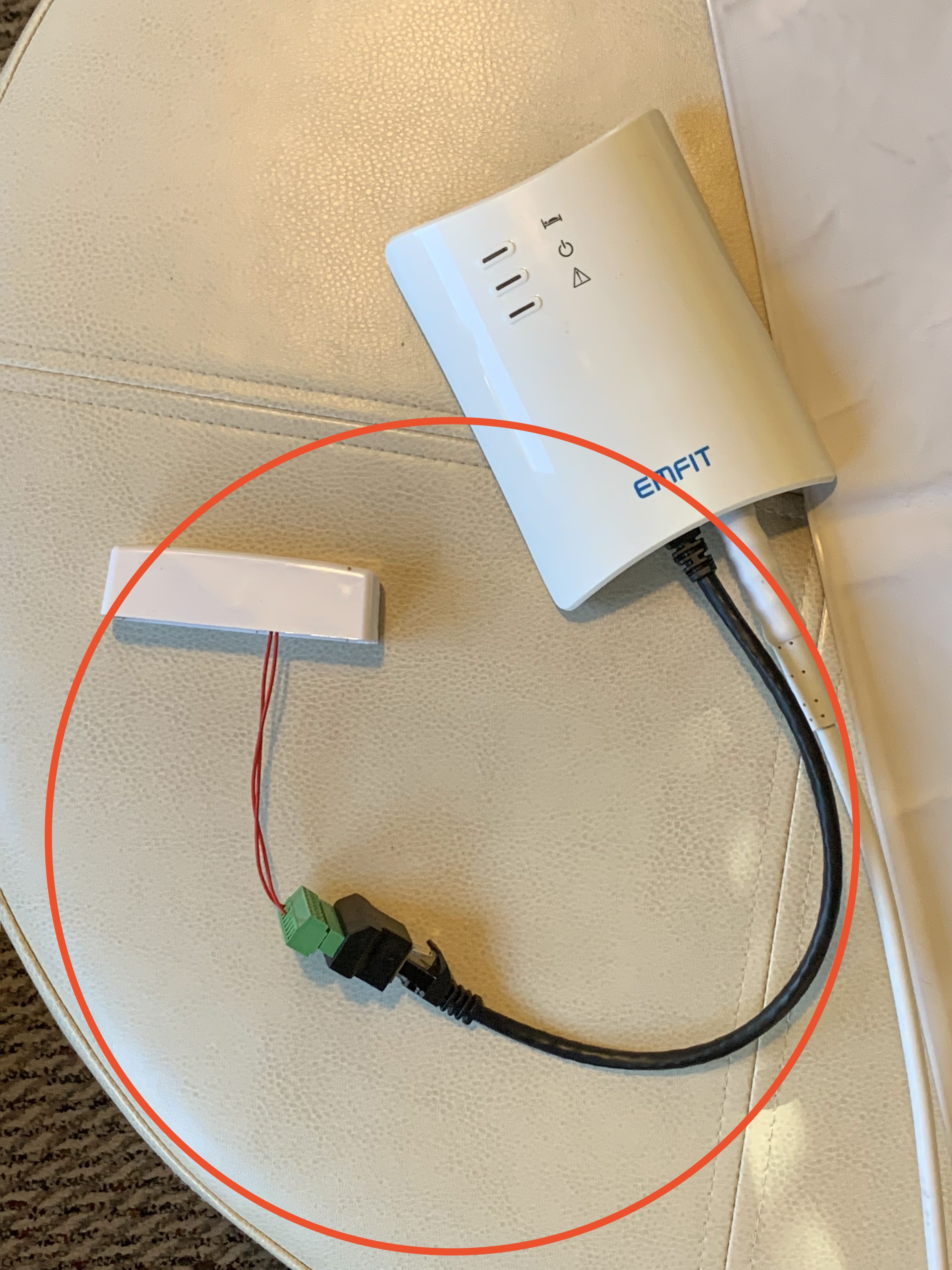
The black cable should be securely connected to the control unit. The other end of this black cable is connected to a small adapter (the black and green device in this photo above). Confirm the connection to the adapter is secure. And finally, the wires coming from the Hearo sensor and the adapter (the red wires in this photo above) can be checked to ensure their connection as well. Very gently tug the wires at each end to confirm they are securely connected.
The final troubleshooting task is to turn the seizure mat control unit off and back on. You'll find the on/off button on the bottom of the control unit near where the cables are connected.
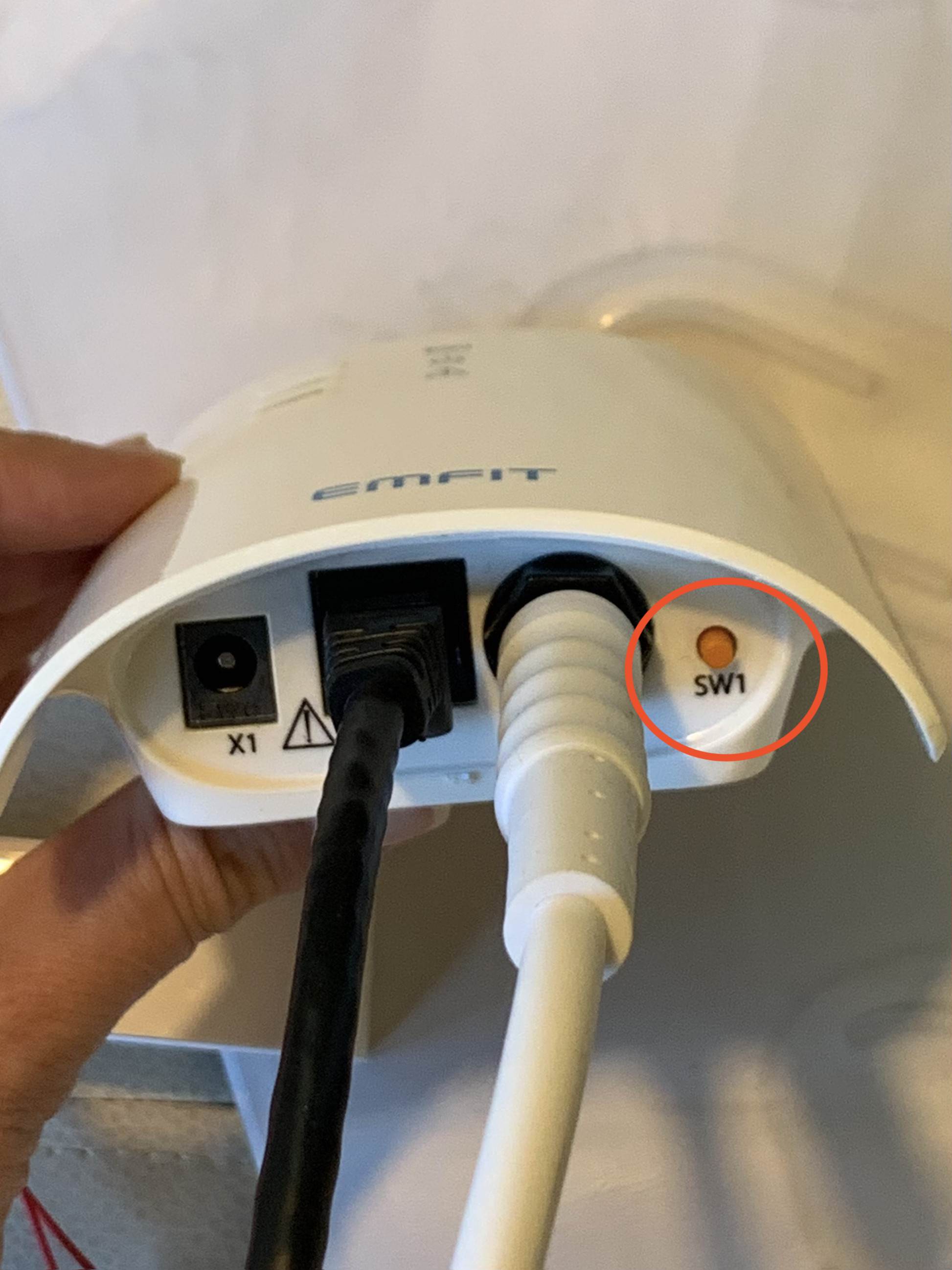
Press and hold the orange button labeled "SW1" until you hear a beep and the blue light stops flashing. Then, press and hold again until you hear another beep and the blue light starts flashing.
Seizure Mat Placement
The seizure mat should be placed across the bed, under the mattress, and around chest height. Make sure the sensor is placed beneath the mattress, but on top of any box spring or platform surface. If the bed is especially soft, and there is a mattress pad, you may place the sensor under the mattress pad and on top of the mattress. Do not place the sensor directly on top of the mattress, above, or below the sheets.