![Hearo profile Image-2.png]](https://learn.hearo.net/hs-fs/hubfs/Hearo%20profile%20Image-2.png?width=50&height=50&name=Hearo%20profile%20Image-2.png)
When you're at the Location:
- If the bulb is off and won't come back on:
1) Make sure the lamp is plugged into an outlet.
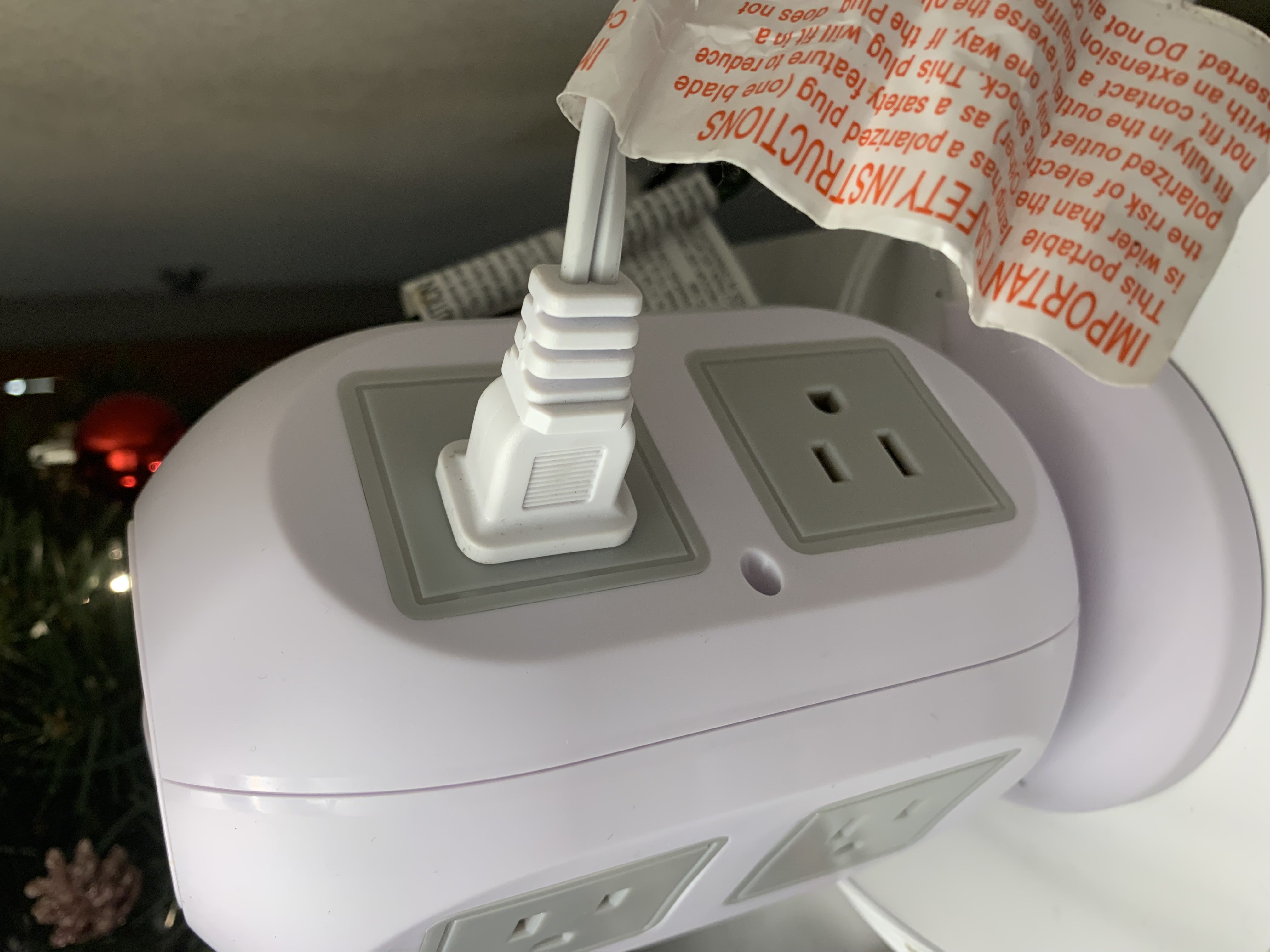
It's easy to bump or pull a plug out of place, and then forget to start with checking this when trying to figure out what could be wrong.
2) Make sure the bulb is screwed in securely.
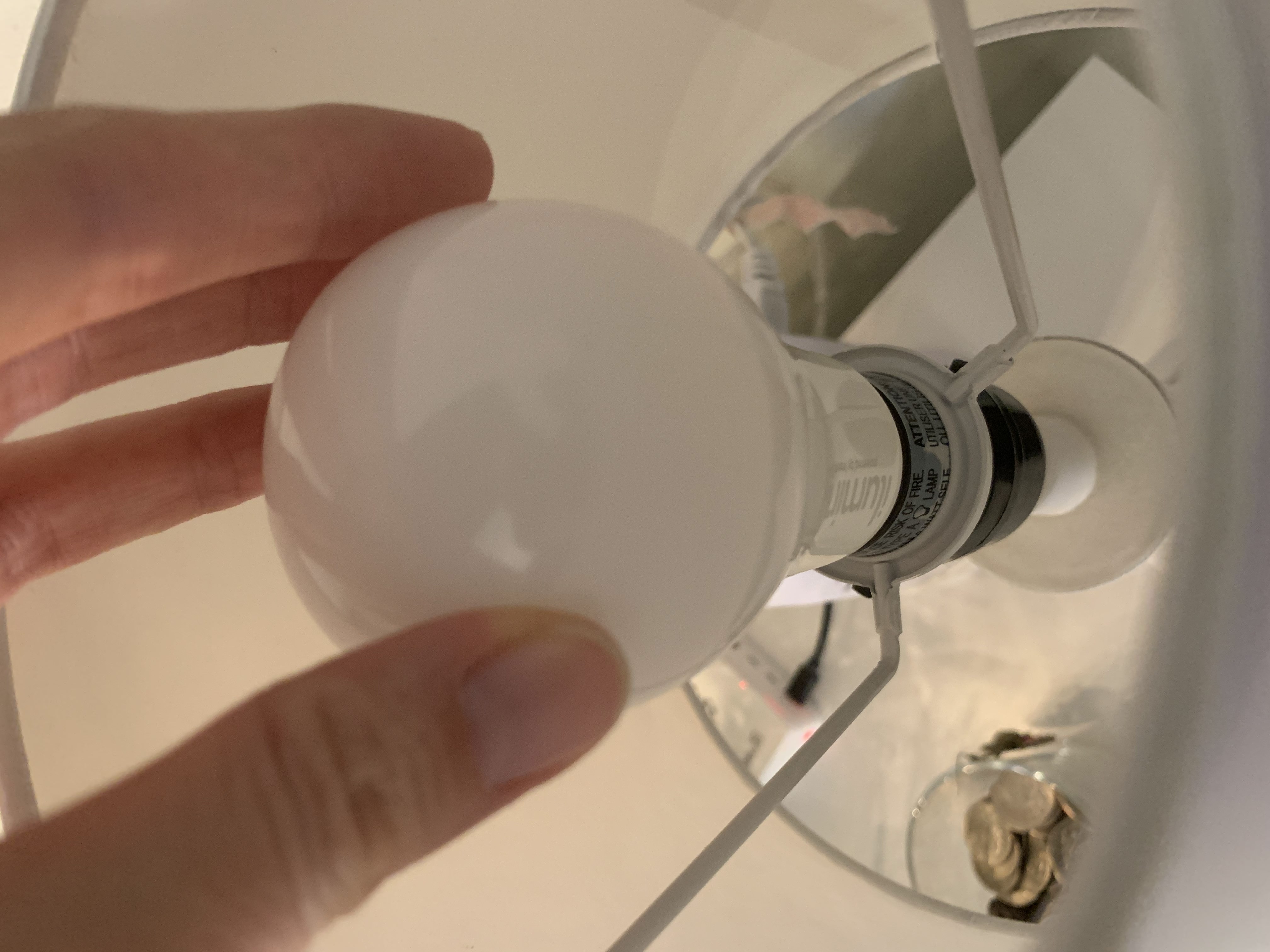
Another easily forgotten possibility is that the bulb could have come loose and may need tightening in the lamp's socket.
3) Try to turn the lamp on manually
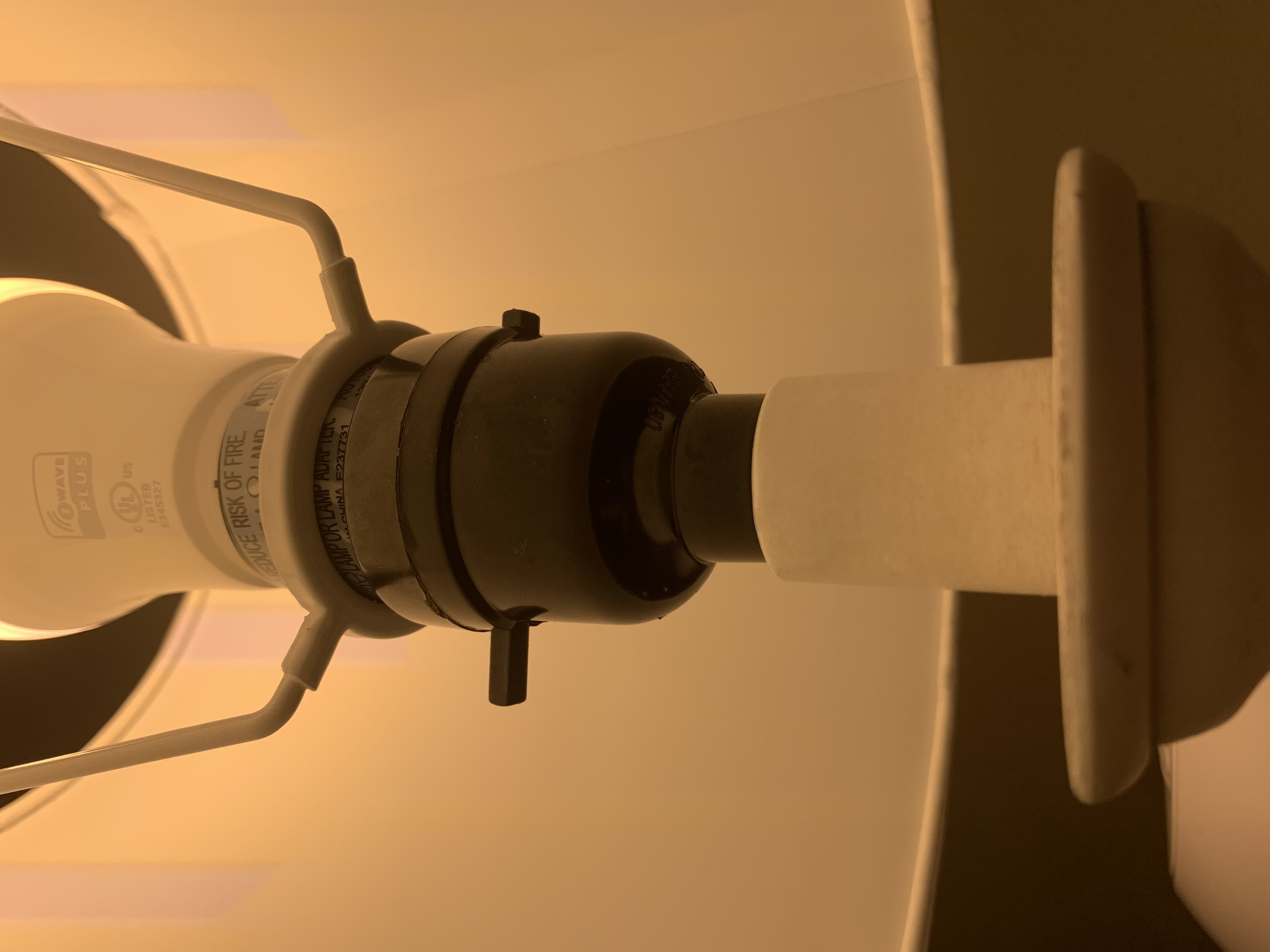
Hearo lamps are controlled remotely or by the tablet... usually. So, it's important to make sure it wasn't accidentally turned off manually via the switch. Make sure you know which position the switch began in. If the light doesn't turn on when you flip the switch, flip it back; it may have been in the correct position.
If the lamp is on, but isn't the right color:
1) Clear any notifications and stop any calls from the tablet.
2) Turn the lamp off and back on using the lamp switch.
Most Hearo lamps have a cylindrical, bar-shaped switch near the bulb to turn the lamp off and on. Push this through once, then once more to turn it off and then back on.
3) If your Hearo tablet has the ability to control lamps, turn your lamp off and back on using the tablet. Note: this ability is only available on Hearo Home version 2.
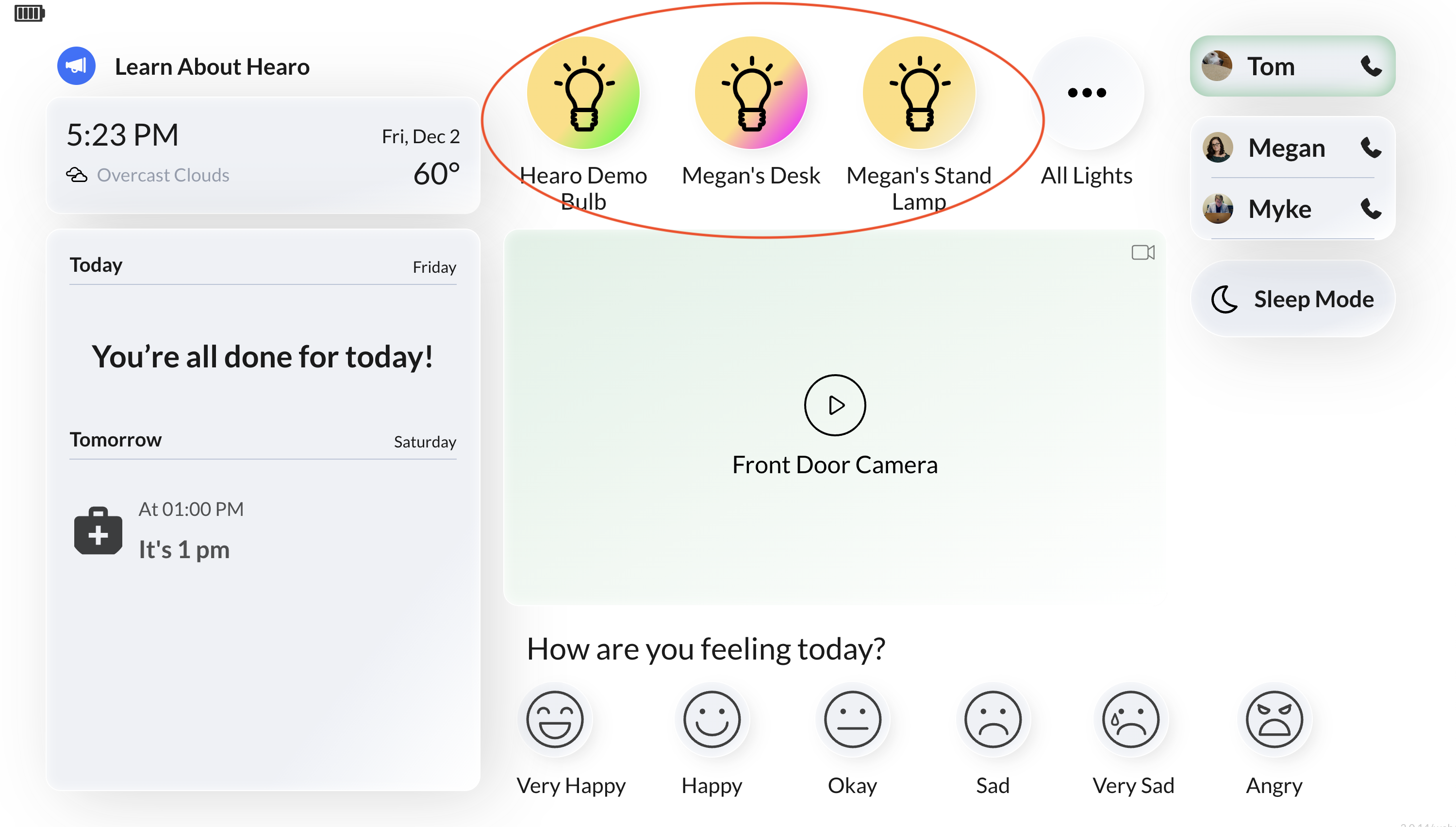
Tap on the lightbulb icon of the light you'd like to turn off and on.
4) Make a call from the tablet
Making a call from your Hearo Home tablet will trigger the light to turn purple.
When you hang up from the call, it should return to the natural white color.
From the Hearo Remote Supports Dashboard:
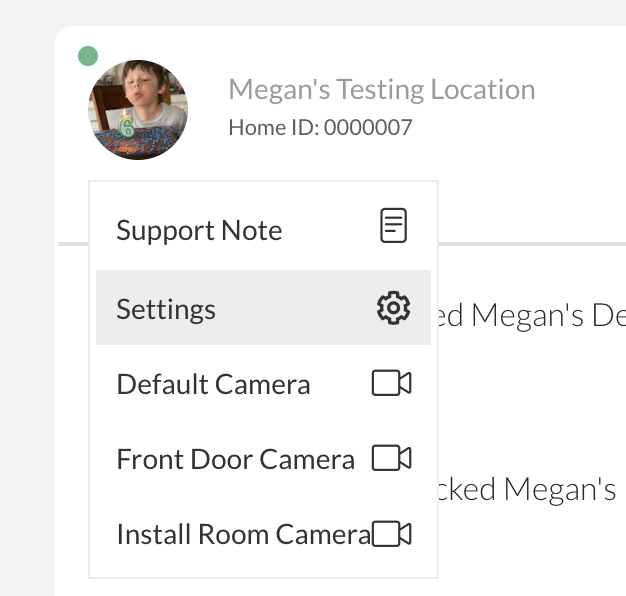
You can turn a lamp on and off at a Location remotely from the Hearo Remote Supports Dashboard. First, you'll need to navigate to the Location Settings page.
From the dashboard, click on the Location image, and select "Settings".
Once on the Location Settings page, scroll down to the list of sensors installed in that Location and find the light bulb you are having trouble with.
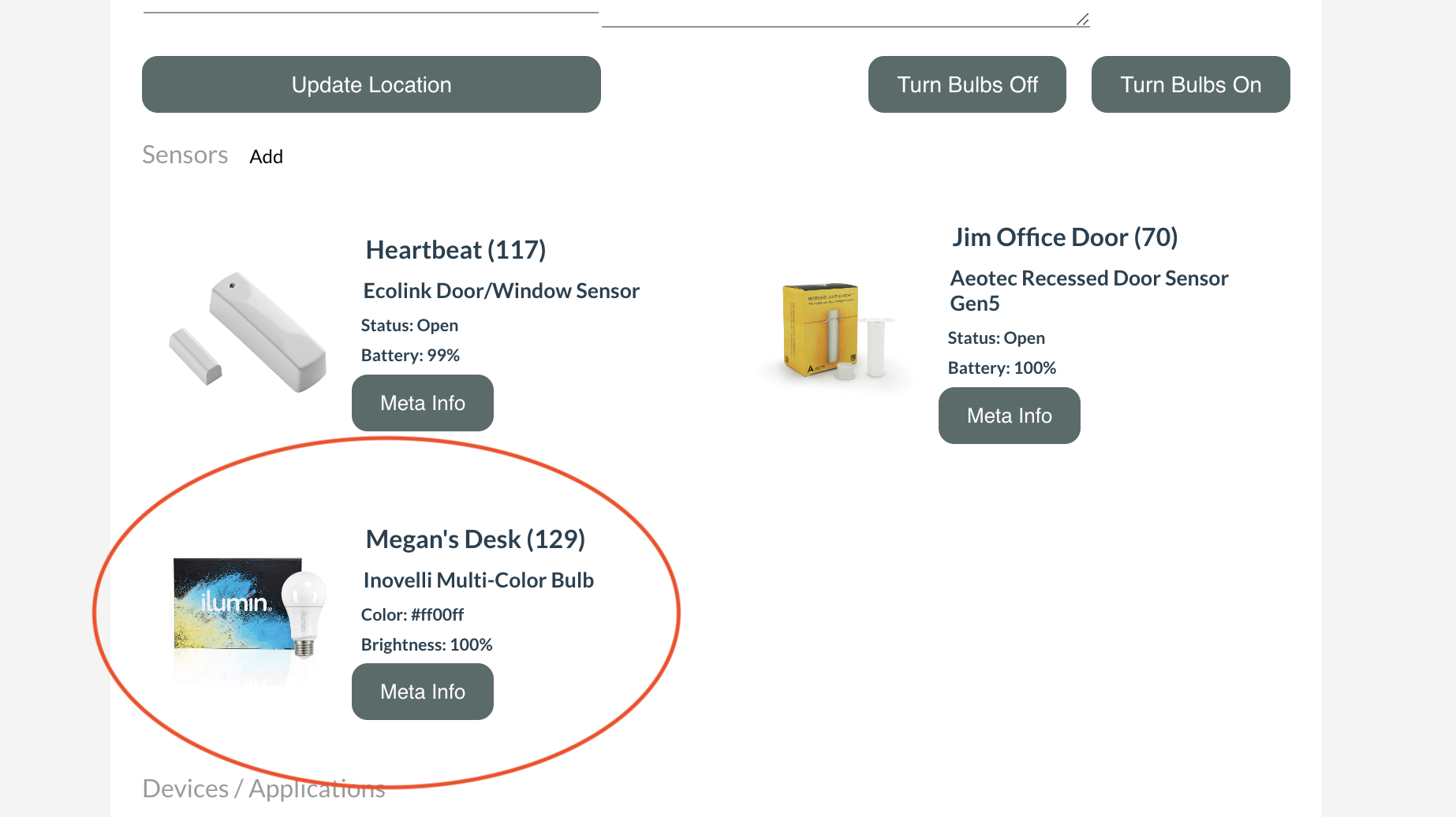
Click on the image for the bulb. A pop-up will appear, offering more information on the bulb.
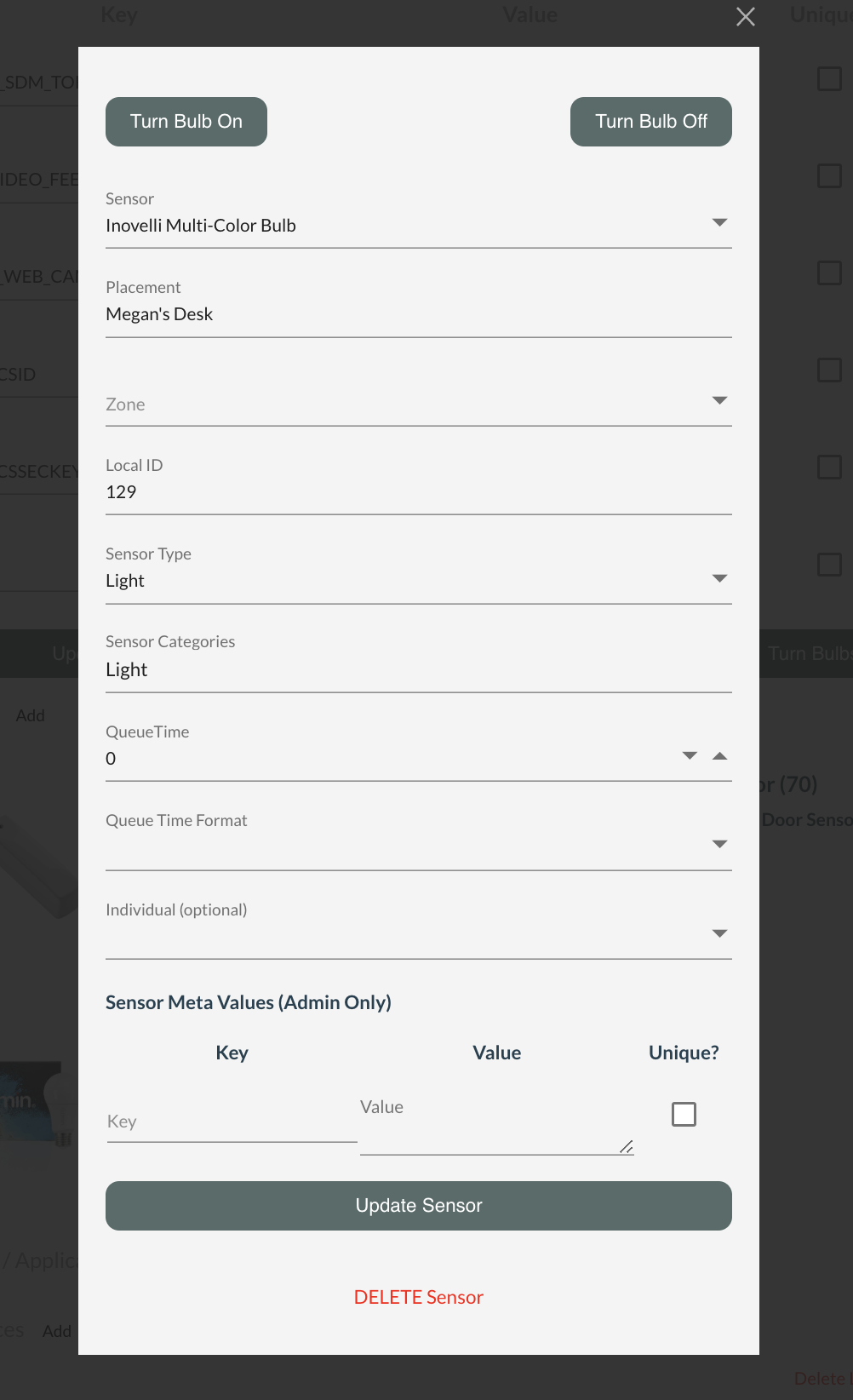
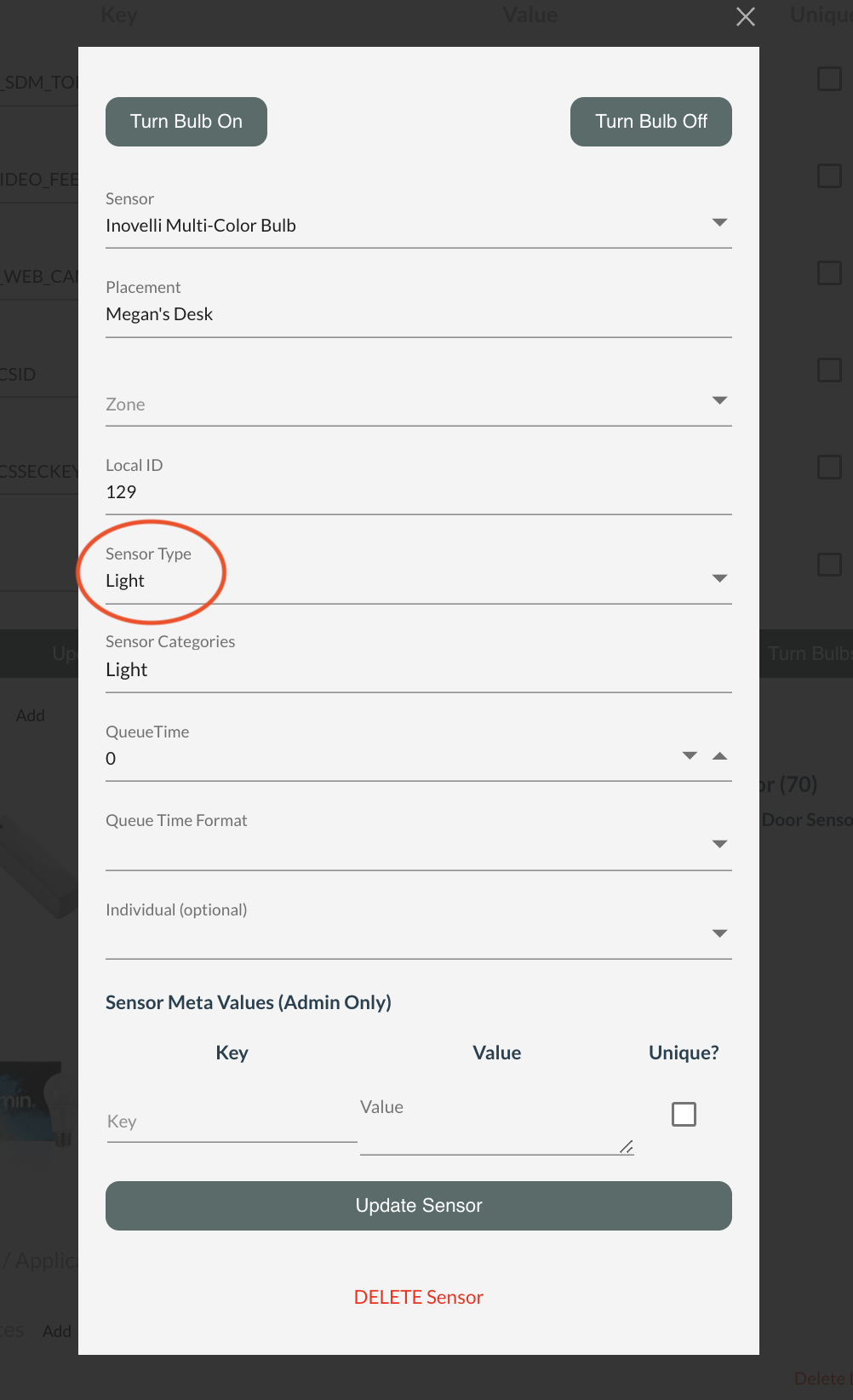
First, confirm that the field "Type" is set to "Light".
Then, you can click "Turn Bulb Off" and it should turn the bulb off at the Location.
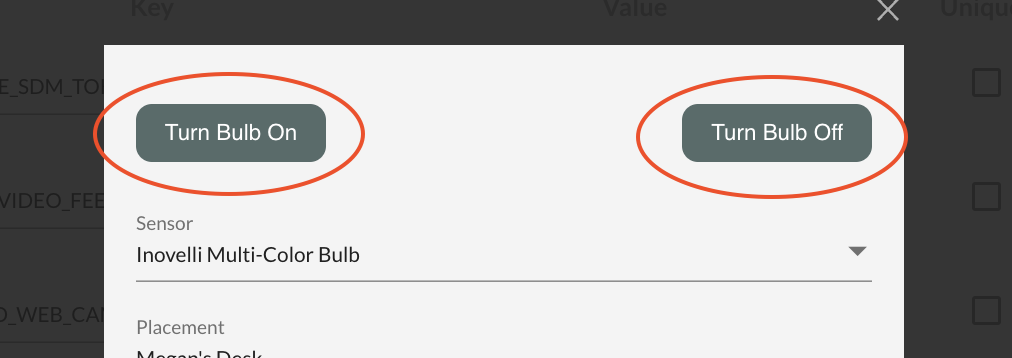
Finally, click "Turn Bulb On" to turn the bulb back on at the Location.
If these steps do not resolve the issues you're experiencing with the light, then reach out to the Hearo support team by initiating a support ticket. Let us know what you've been experiencing, and make sure to note the troubleshooting steps that you've performed prior to sending the ticket.