![Hearo profile Image-2.png]](https://learn.hearo.net/hs-fs/hubfs/Hearo%20profile%20Image-2.png?width=50&height=50&name=Hearo%20profile%20Image-2.png)
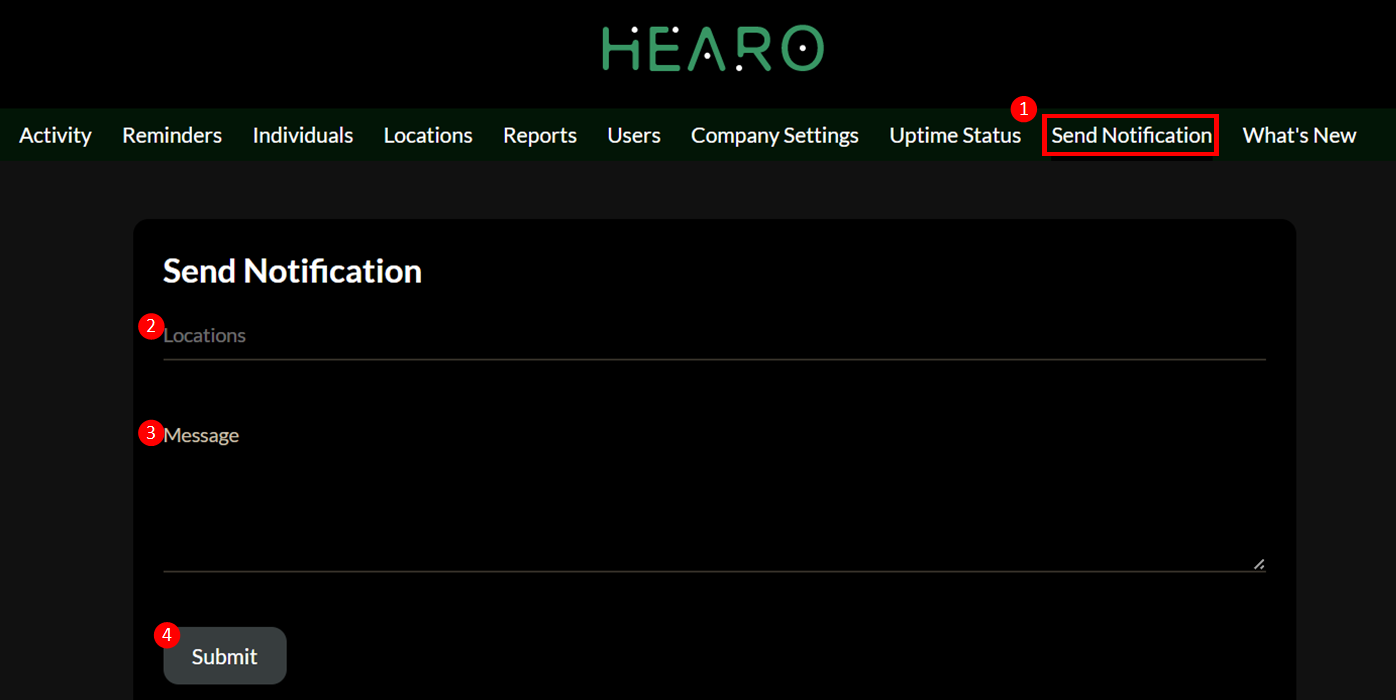
1) Select Send Notification from the Dashboard Menu.
2) Select the Location from the dropdown that you'd like to send the notification to.
3) Type the message as you'd like to send to Individuals at a Location. They will receive it on their Hearo Home touchscreens or mobile device utilizing the Hearo application.
4) Press Submit. You will receive confirmation that the message has been sent.
Note: You will receive confirmation that the notification has been acknowledged via the activity feed log.