![Hearo profile Image-2.png]](https://learn.hearo.net/hs-fs/hubfs/Hearo%20profile%20Image-2.png?width=50&height=50&name=Hearo%20profile%20Image-2.png)
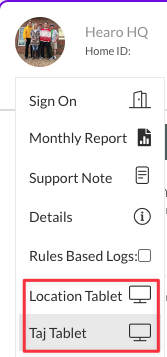
From the activity dashboard, click on the Location image to view a list of options. If there is a tablet set up for this Location/Individual, you will see an option to view the tablet as shown below:
Once clicked, you will see the remote view show up in the top left of the screen:
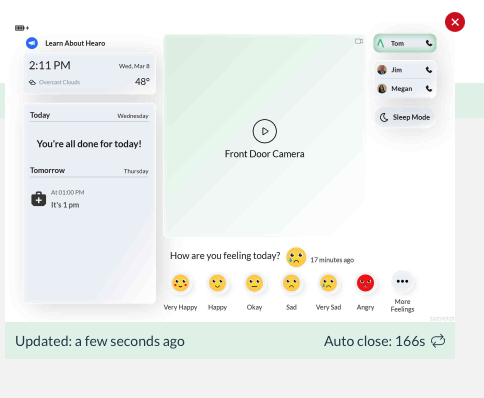
In the bottom left of the remote view you will see the last time the live capture was updated. This is a pretty good indicator of whether or not the tablet is online/offline and will present the last state the tablet was in prior to clicking.
On the bottom right is the countdown for the remote view to automatically close. This is in place for ensuring a live connection is not left open, which can weigh heavily on our data connection. If you need more time, simply click the refresh button located on the bottom right of this window.
Please see the video embedded toward the top of the page for a full walkthrough.