![Hearo profile Image-2.png]](https://learn.hearo.net/hs-fs/hubfs/Hearo%20profile%20Image-2.png?width=50&height=50&name=Hearo%20profile%20Image-2.png)

Click the Reminders heading located on the menu bar toward the top of your screen. This will bring you to the Reminders page. Your cursor should default to an open search bar on the page, toward the top, with an "Add Reminder" button to the left of it. Click this button and it will bring you to the page displayed below:
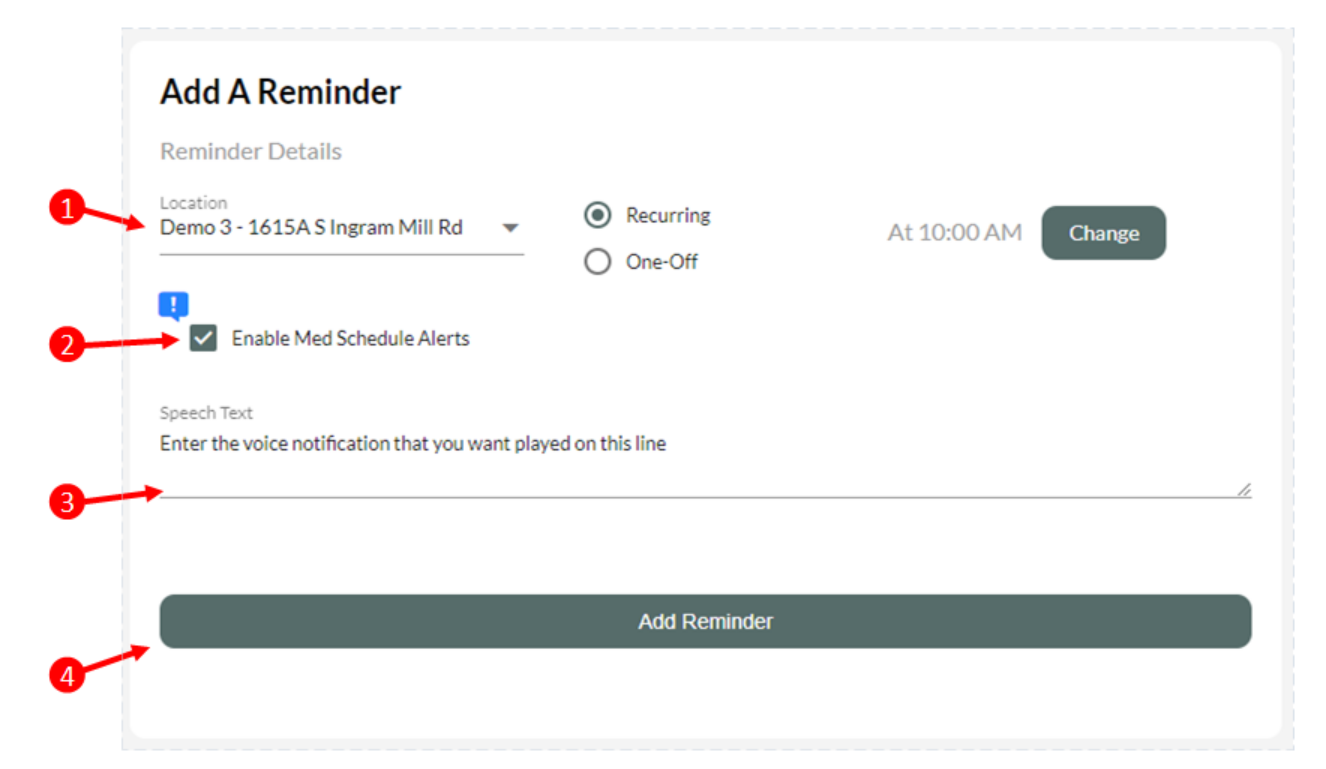
1) Select the location for the reminder.
2) If appropriate, select Med Schedule Alerts. (Note: This enables the escalation of notifications to remote staff when the medication reminder has not been acknowledged.)
3) Type what you would like to be sent and delivered as a voice notification/reminder.
4) - Press the "Add Reminder" button to advance to the next step.
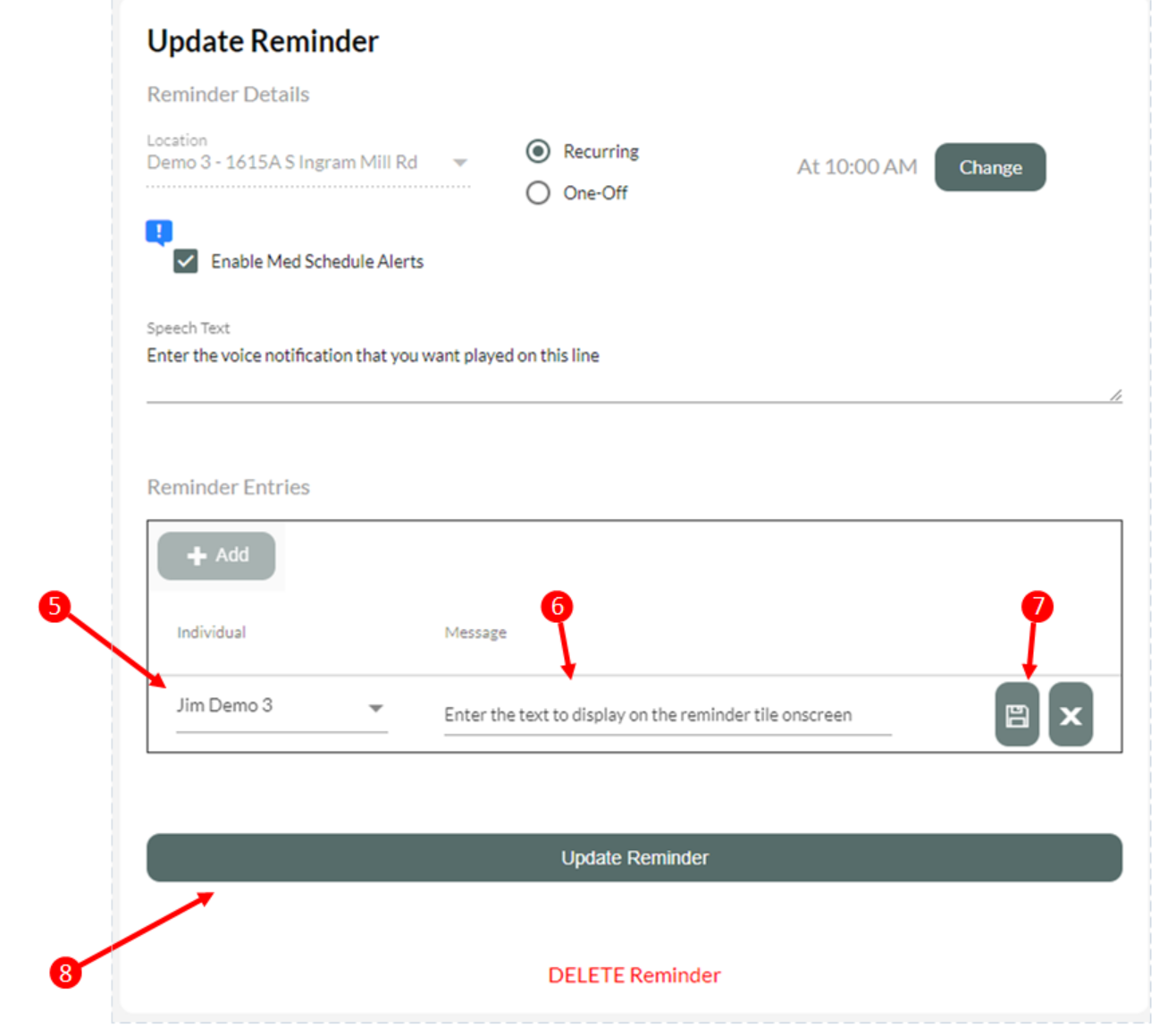
5) Select the Individual whom the reminder is for. This will ensure that the reminder tile appears for the correct person to acknowledge.
6) Type the text that you would like to appear on the reminder tile.
7) Click the save button.
8) Click "Update Reminder".