![Hearo profile Image-2.png]](https://learn.hearo.net/hs-fs/hubfs/Hearo%20profile%20Image-2.png?width=50&height=50&name=Hearo%20profile%20Image-2.png)
The battery backup is the black rectangular device that is near your square Hearo Hub box.
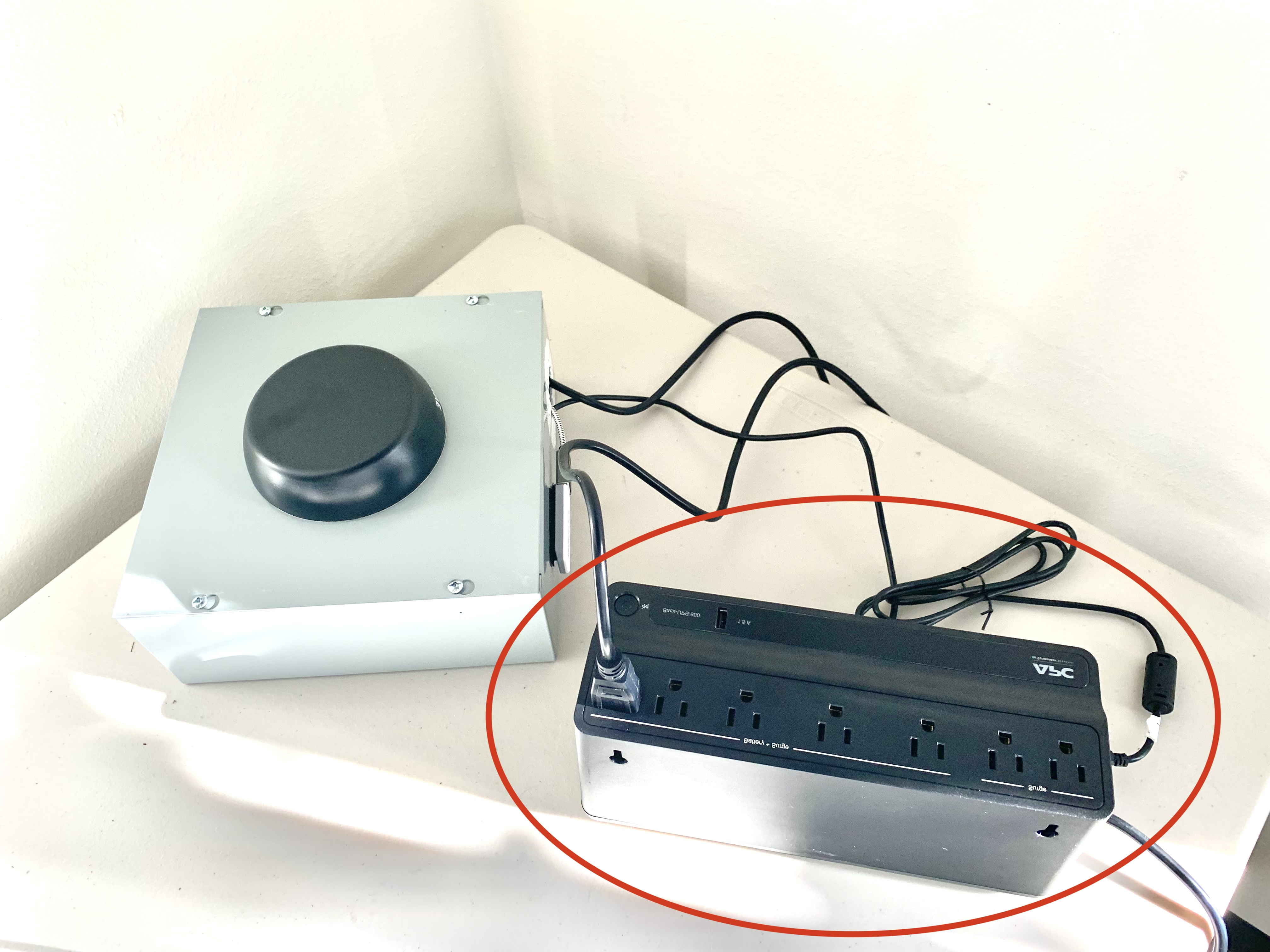
One of the first things to check on your battery backup is that the power button is glowing green.
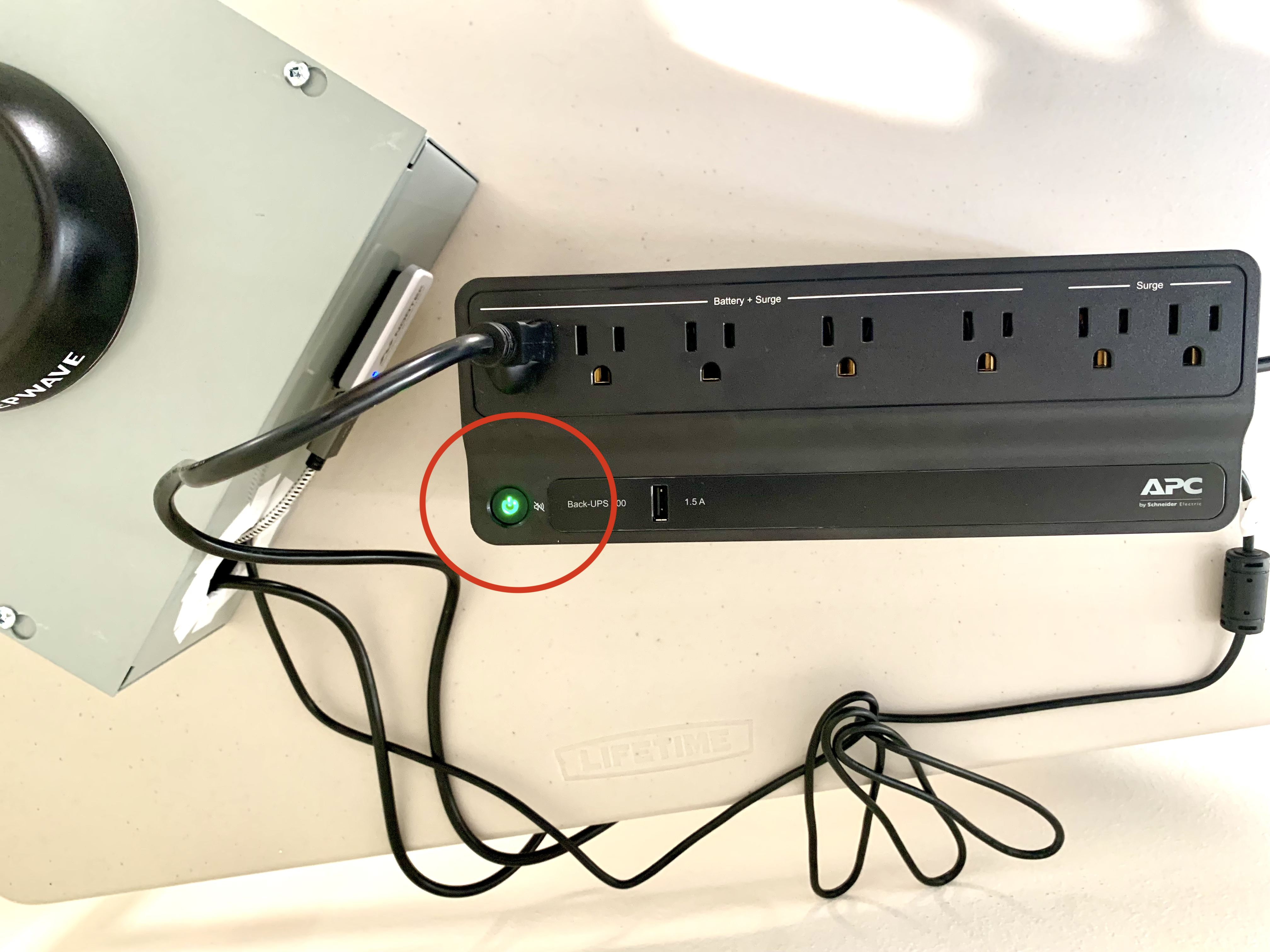
If the power indicator is blinking, then the backup is running on battery power, and you need to confirm that the device is plugged into an outlet.
When the battery backup is running low on power (because it has been unplugged from a wall outlet for some duration) it will begin beeping periodically.
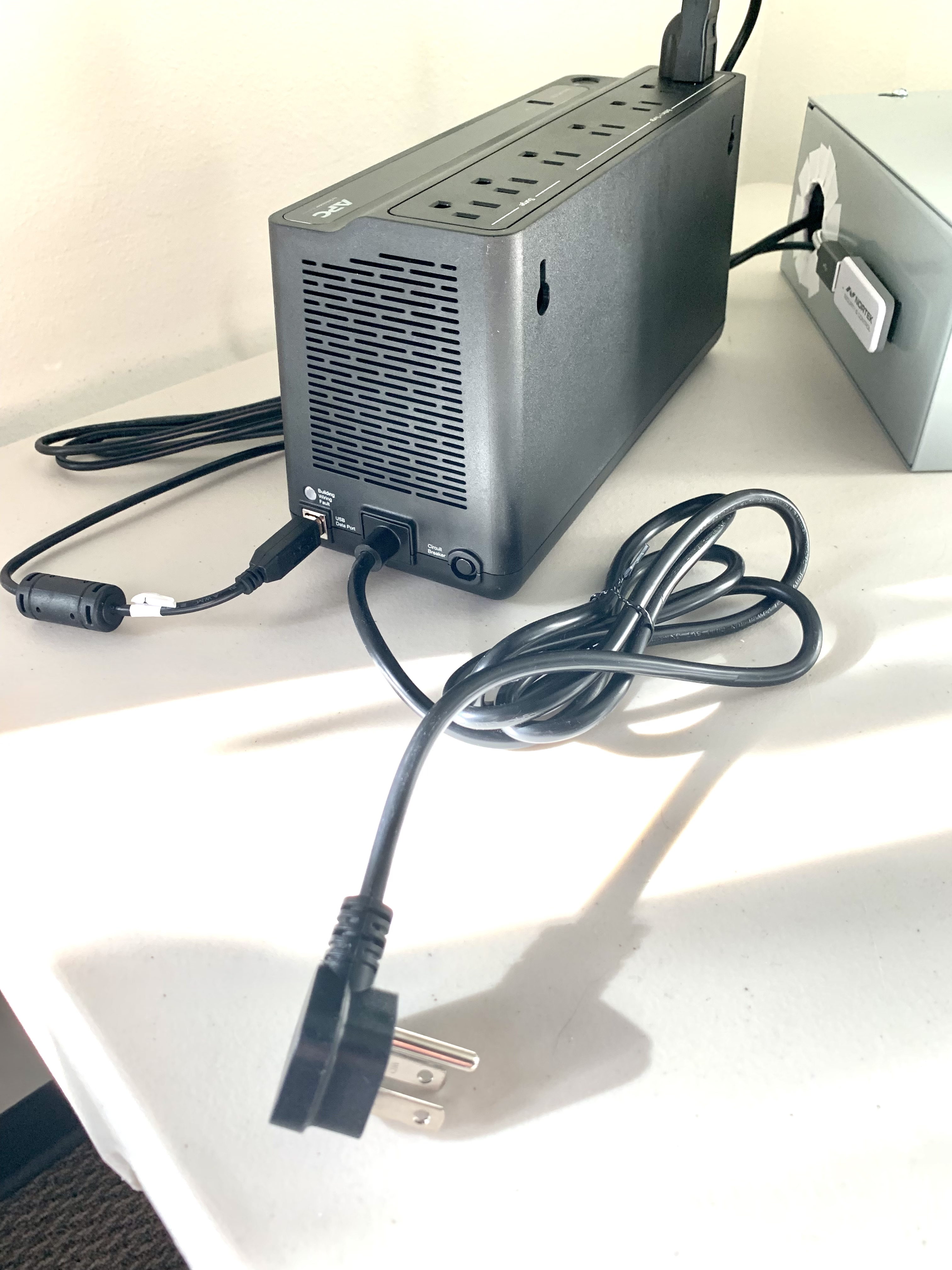
You can see the power cable extending from the backup in the picture above. Make sure it is plugged into a working power outlet.
Next, you'll want to confirm that the battery backup is correctly connected to the Hearo Hub box.
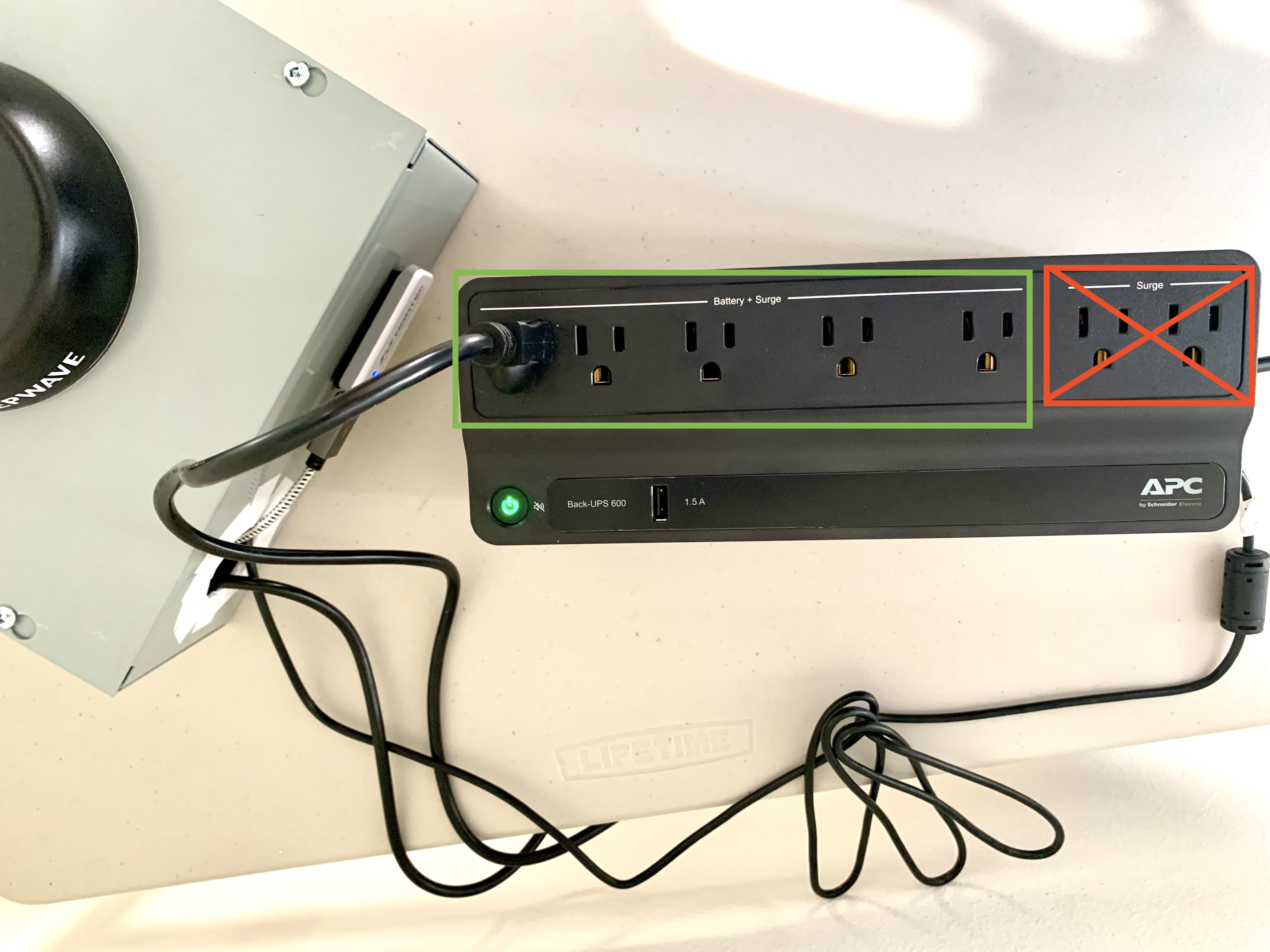
First, make sure the Hearo Hub box is plugged into the battery backup, and that it is plugged into one of the slots that is marked "Battery + Surge". Do not plug the Hearo Hub box into the spots marked "Surge" only.
Next, confirm that the USB Data cable extending from the Hearo Hub box is plugged into the battery backup.
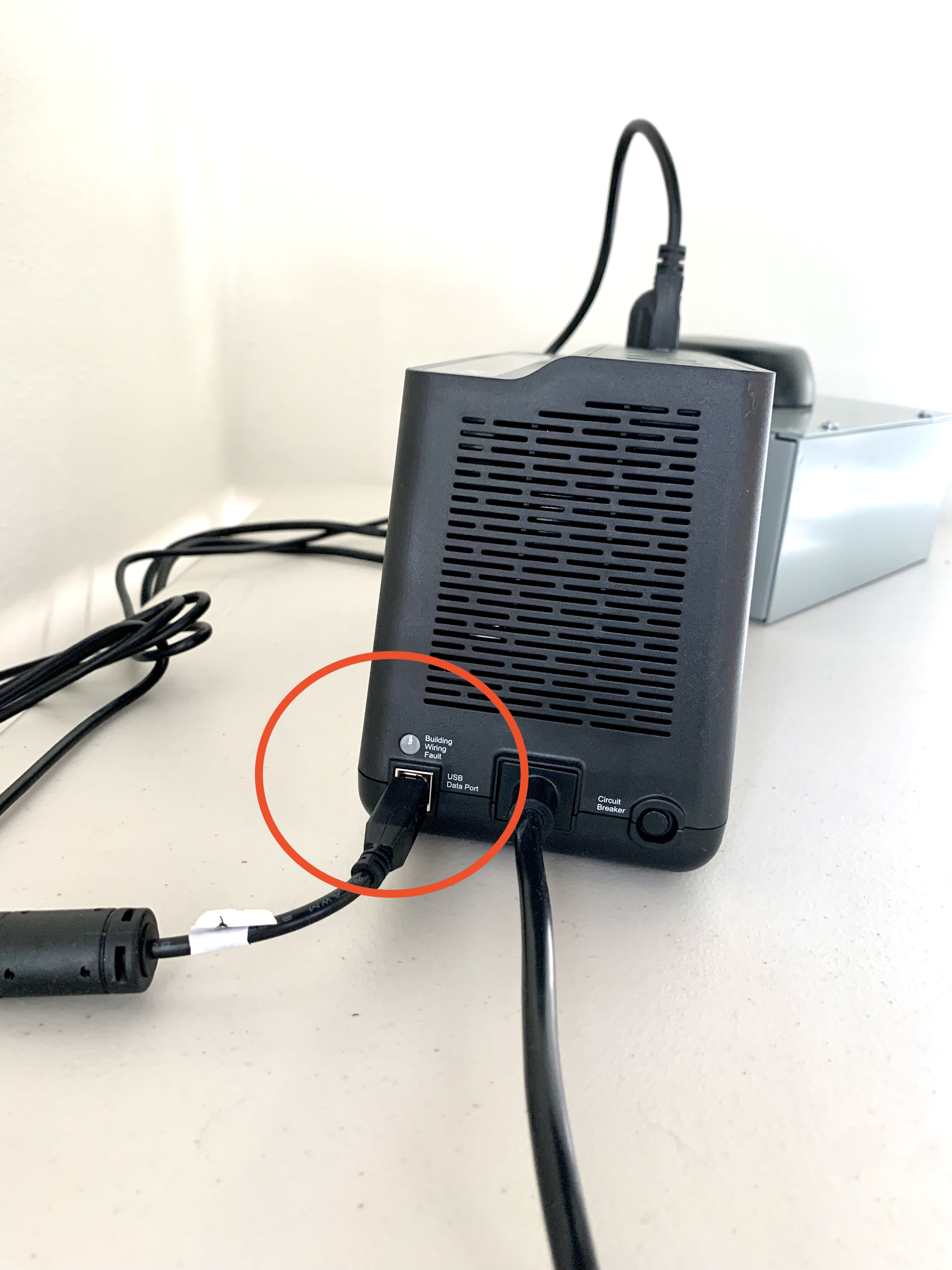
This port is located next to the power cable on the side of the battery backup.
If you are still experiencing issues with your Hearo system, please contact your provider for assistance or reach out to the Hearo team by initiating a support ticket.